BlinkyTapeTestWatcher
A Kotlin implementation of the JUnit 5 TestWatcher API that hooks your tests up to a BlinkyTape LED strip.
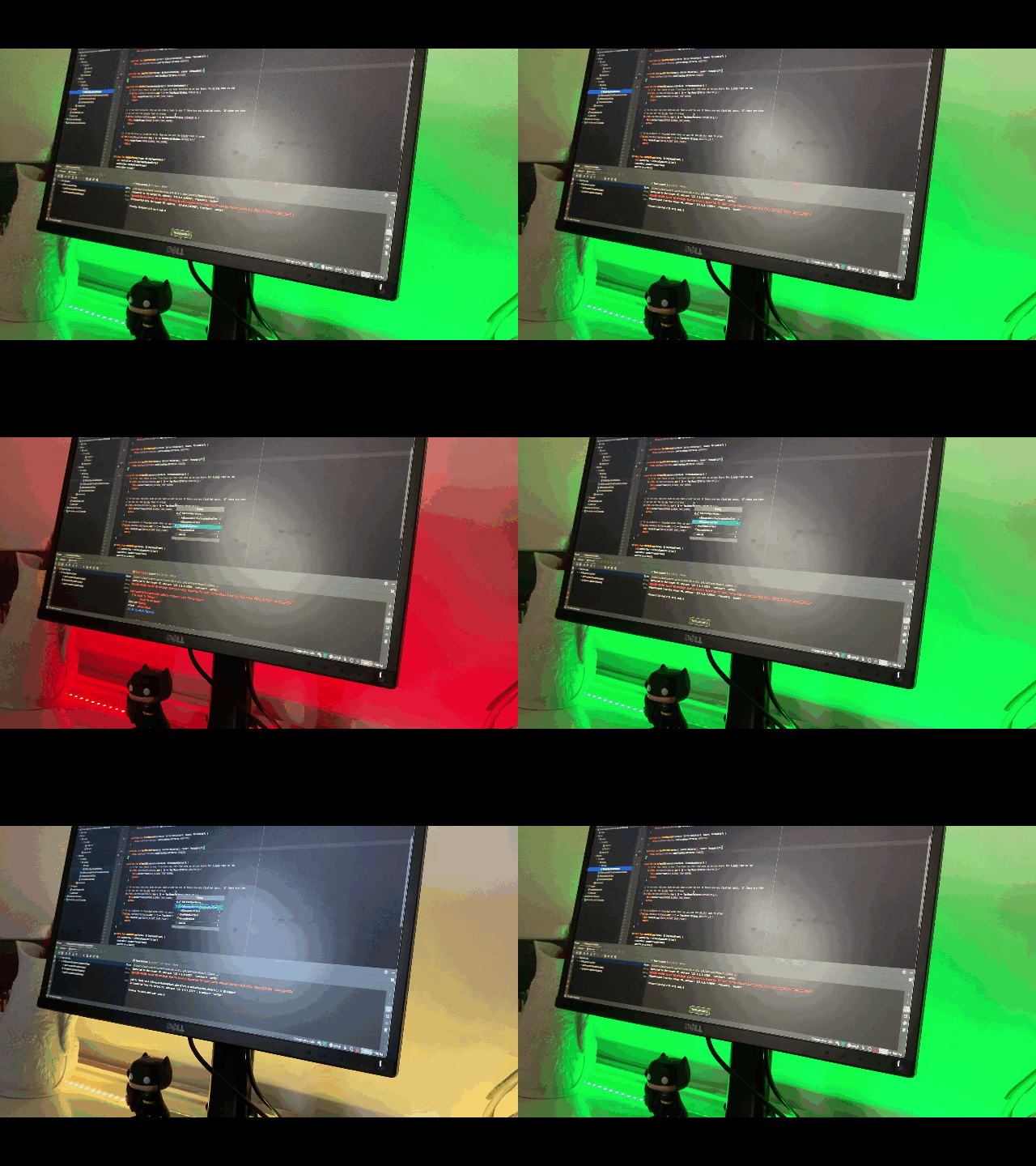
A Kotlin implementation of the JUnit 5 TestWatcher API that shows the result of your tests on a BlinkyTape LED strip: green when everything passes, orange when tests were skipped and red when anything fails. I wrote about it in BlinkyTape JUnit TestWatcher API Implementation.
How it works
BlinkyTapeTestWatcher implements the TestWatcher API to track whether each test passed, failed or was disabled. It
also implements AfterAllCallback, so its afterAll method runs once every test has finished and lights the strip:
- If any test failed, the whole strip turns red.
- If none failed but some were disabled, it turns orange.
- If every test passed, it turns green.
Click to see the BlinkyTapeTestWatcher implementation!
class BlinkyTapeTestWatcher : TestWatcher, AfterAllCallback {

    private val testResultsStatus = mutableListOf<TestResultStatus>()

    override fun testDisabled(context: ExtensionContext, reason: Optional<String>) {
        this.testResultsStatus.add(TestResultStatus.DISABLED)
    }

    override fun testSuccessful(context: ExtensionContext) {
        this.testResultsStatus.add(TestResultStatus.SUCCESS)
    }

    override fun testAborted(context: ExtensionContext, cause: Throwable?) {
        this.testResultsStatus.add(TestResultStatus.ABORTED)
    }

    override fun testFailed(context: ExtensionContext, cause: Throwable?) {
        this.testResultsStatus.add(TestResultStatus.FAILED)
    }

    override fun afterAll(extensionContext: ExtensionContext) {
        // first lets check to see if we have any test failures so we can leave the blinky tape as red
        if (this.testResultsStatus.any { it == TestResultStatus.FAILED }) {
            this.renderFrame(RED_BLINKY_TAPE_FRAME)
            return
        }

        // if no test failures then we can take a look to see if there are any disabled tests.  If there are then
        // we can set the blinky tape to orange
        if (this.testResultsStatus.any { it == TestResultStatus.DISABLED }) {
            this.renderFrame(ORANGE_BLINKY_TAPE_FRAME)
            return
        }

        // if no failures or disabled tests then we can set the blinky tape to green
        if (this.testResultsStatus.any { it == TestResultStatus.SUCCESS }) {
            this.renderFrame(GREEN_BLINKY_TAPE_FRAME)
            return
        }
    }

    private fun renderFrame(frame: BlinkyTapeFrame) {
        val controller = BlinkyTapeController()
        controller.renderFrame(frame)
        controller.close()
    }

    companion object {
        val ORANGE_BLINKY_TAPE_FRAME = BlinkyTapeFrame(defaultColour = Color.ORANGE)
        val RED_BLINKY_TAPE_FRAME = BlinkyTapeFrame(defaultColour = Color.RED)
        val GREEN_BLINKY_TAPE_FRAME = BlinkyTapeFrame(defaultColour = Color.GREEN)
    }

    private enum class TestResultStatus {
        SUCCESS, ABORTED, FAILED, DISABLED
    }
}
The code that talks to the BlinkyTape over its serial port comes from night-fever.
Requirements
- A BlinkyTape LED strip (60 LEDs) plugged in over USB
- Java 16 or later and Maven
Usage
The serial port is set in BlinkyTapeController. It defaults to /dev/tty.usbmodem1412201, which is where the strip
appeared on my Mac, so change it to match your machine. On macOS, ls /dev/tty.usbmodem* shows the port once the
strip is plugged in.
Then run the tests:
mvn test
Each test class uses @ExtendWith(BlinkyTapeTestWatcher::class), so you can try all three colours:
- AllSuccessUnitTest.kt turns the strip green
- AllSuccessButOneDisabledUnitTest.kt turns it orange
- OneFailedUnitTest.kt turns it red
To use it in your own project, copy the blinky package into your tests, add the
jSSC dependency and annotate your test classes the same way.
Licence
Apache 2.0. See LICENSE.