callback-logger
A simple Kotlin and Micronaut service that receives callbacks, useful when testing APIs locally that send them. It logs every POST or PUT it receives, has a simple web UI, and lets you define custom endpoints with your own response code and payload.
Simple service to receive callbacks. Useful for when testing APIs locally that send callbacks
🦿 Prerequisites
- Java 25 or above (callback-logger runs on the JVM only; a GraalVM native image is not supported)
🛠 Installation
- Download latest sources and run:
./gradlew build run
⌨️ Usage
Callbacks are received by an embedded WireMock server on its own port, 7071, while the
web interface stays on 7070. Point the API you are testing at any path on the callback port, with any HTTP
method, for example http://localhost:7071/callback or http://localhost:7071/orders/42/status. Every request is
recorded, whatever its path, method or content type. You can send a callback manually using the following curl
request:
curl -X POST --location "http://localhost:7071/callback" \
    -H "Content-Type: application/json" \
    -d "{\"hello\": \"world\"}"
or
curl -X PATCH --location "http://localhost:7071/orders/42/status" \
    -H "Content-Type: application/xml" \
    -d "<hello>world</hello>"
More examples, including form posts, query strings and custom methods such as PROPFIND, are in
src/test/resources/http/callbacks.http.
Each callback in the inbox has a Copy as curl button that copies a curl command to send it to the callback
logger again.
Breaking change: callbacks used to be sent to
http://localhost:7070/callback-logger/api/callback, plus any custom callback URIs configured undercallback-logger.custom-callbacks. Both are gone: send callbacks to the callback port instead. The same paths still work there, only the port has changed.
Paths under /__admin are reserved by WireMock. Its admin API is locked, so those requests are refused with a 401
and are not recorded as callbacks.
Change the callback port
The callback port is set in the application.conf file:
callback-logger {
  wiremock {
    port = 7071
  }
}
Specify the http response code
By default, callback-logger returns a 200 response code for all callbacks. If you need to return a different response
code then you can define the response code in the application.conf file. For example:
callback-logger {
  callback-response-status-code = 201
}
The application will fail to start if the response code is not a valid http response code.
Specify the http response payload
By default, callback-logger returns an empty string as the response payload for all callbacks, with a
Content-Type: application/json header. If you need to return a different response payload then you can change that
in the application.conf file. For example:
callback-logger {
  callback-response-payload = "{\"status\": \"OK\", \"message\": \"Callback received\"}"
}
Specify the http response content type
By default, callback-logger returns a Content-Type: application/json header with every response, including when the
setting is missing or blank. If your payload is in a different format then set the content type to match. For
example, to return XML:
callback-logger {
  callback-response-payload = "<status>OK</status>"
  callback-response-content-type = "application/xml"
}
The application will fail to start if the content type is not a valid media type, such as xml instead of
application/xml.
Limit how many callbacks are kept
Callbacks are kept in memory, and by default only the newest 1000 are kept: once there are more, the oldest are
dropped. To keep a different number, set it in the application.conf file. For example:
callback-logger {
  max-callbacks = 5000
}
The application will fail to start if the number is not greater than zero.
Web UI
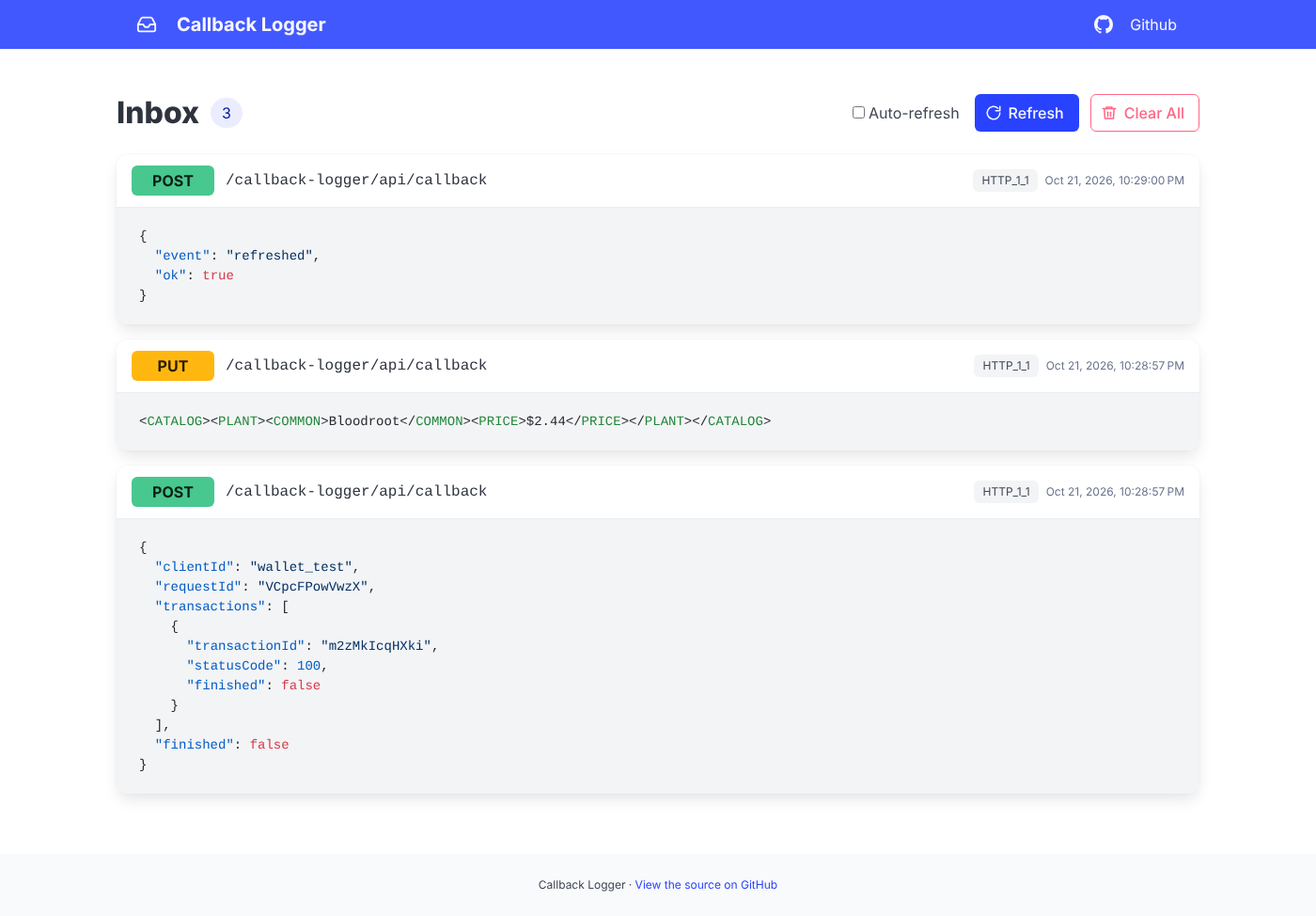
callback-logger provides a simple web interface to allow you to see the callbacks you have received. You can access
the web interface by pointing your browser to http://localhost:7070/callback-logger.
New callbacks appear in the inbox as they arrive, and clearing or deleting them updates every open tab. Press Refresh to reload the inbox on demand, Clear All to empty it, or the bin button on a callback to delete just that one. All of them update the page in place using Datastar, without a full page reload. The page is styled with Bulma, and Bulma, Datastar and highlight.js are all served by the app itself, so the inbox works with no internet connection:
🥼 Run tests
./gradlew test
✍️ Author
👤 Lee Turner
- Mastodon: @leeturner
- Bluesky: @leeturner.bsky.social
Feel free to ping me 😉
🤝 Contributing
Contributions are what make the open source community such an amazing place to be learn, inspire, and create. Any contributions you make are greatly appreciated.
- Open an issue first to discuss what you would like to change.
- Fork the Project
- Create your feature branch (
git checkout -b feature/amazing-feature) - Commit your changes (
git commit -m 'Add some amazing feature') - Push to the branch (
git push origin feature/amazing-feature) - Open a pull request
Please make sure to update tests as appropriate.
❤ Show your support
Give a ⭐️ if this project helped you!

☑️ TODO
- Setup releases using jReleaser
📝 License
Copyright © 2023 - Lee Turner

Licensed under the Apache License, Version 2.0 (the "License");
you may not use this file except in compliance with the License.
You may obtain a copy of the License at

   http://www.apache.org/licenses/LICENSE-2.0

Unless required by applicable law or agreed to in writing, software
distributed under the License is distributed on an "AS IS" BASIS,
WITHOUT WARRANTIES OR CONDITIONS OF ANY KIND, either express or implied.
See the License for the specific language governing permissions and
limitations under the License.
This README was generated by readgen ❤