Conway's Game of Life
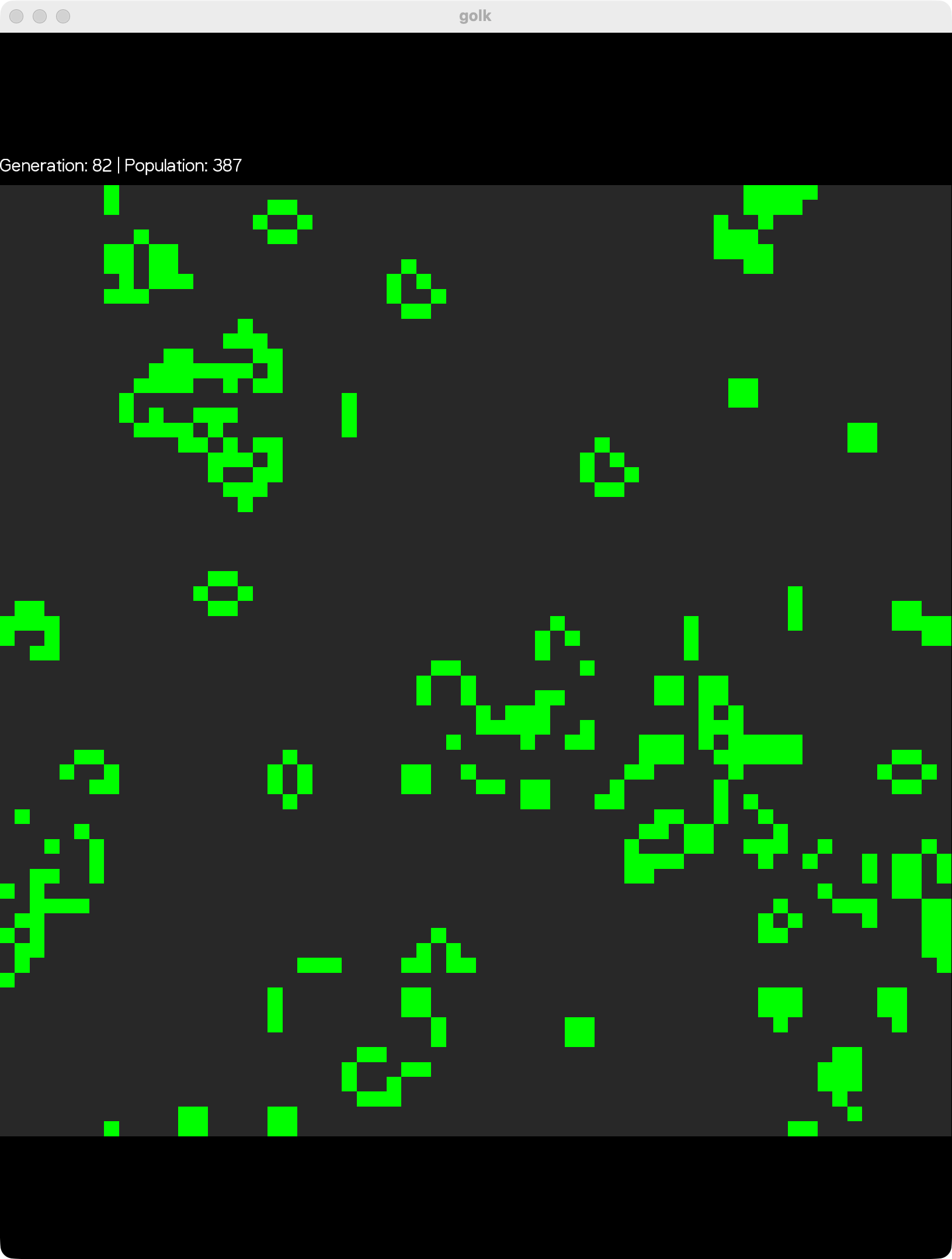
A terminal based Game of Life written in Kotlin using Micronaut and functional programming with Arrow. The universe wraps around like a torus and can be rendered in the terminal with ANSI colours or in a KorGE 2D window.
A terminal-based implementation of Conway’s Game of Life written in Kotlin, using the Micronaut framework and functional programming with Arrow.
Overview
This project implements the classic cellular automaton devised by mathematician John Conway. The simulation runs in your terminal with colorized output, displaying generations of cells evolving, according to simple rules that create complex and fascinating patterns.
Features
- Toroidal Universe: The grid wraps around like a torus - cells at edges interact with cells on opposite edges
- Optimized Algorithm: Only checks alive cells and their neighbors instead of the entire grid for better performance
- Terminal Rendering: Real-time visualization in your terminal with ANSI color support
- KorGE Window Rendering: Optionally draw the universe in a KorGE 2D window with
--renderer korge - Configurable Grid Size: Customize the universe dimensions with command-line options
- Random Initial State: Generates random starting configurations for exploration
- Functional Error Handling: Uses Arrow’s
Eithertype for robust error handling
The Rules
Conway’s Game of Life follows four simple rules:
- Underpopulation: Any live cell with fewer than two live neighbours dies
- Survival: Any live cell with two or three live neighbours lives on to the next generation
- Overpopulation: Any live cell with more than three live neighbours dies
- Reproduction: Any dead cell with exactly three live neighbours becomes a live cell
Screenshots
Technology Stack
- Language: Kotlin with JVM 25
- Framework: Micronaut (for dependency injection and CLI)
- CLI: Picocli (command-line interface)
- Functional Programming: Arrow Core (for Either, functional error handling)
- Build Tool: Gradle with Kotlin DSL
- Testing: JUnit 5 with Strikt assertions
- Code Quality: Detekt (static analysis) and Kotlinter (formatting)
Requirements
- Java 25 or higher
- Gradle (wrapper included)
Building
Build the project using the Gradle wrapper:
./gradlew build
This will:
- Compile the Kotlin source code
- Run all tests
- Run code quality checks (Detekt, Kotlinter)
- Create executable distributions
Running
Using Gradle
Run with default settings (64x64 grid):
./gradlew run
Run with custom grid size:
./gradlew run --args="--grid-size 32"
Run in a KorGE 2D window instead of the terminal:
./gradlew run --args="--renderer korge"
Using the Distribution
After building, you can run the standalone application:
./build/distributions/golk/bin/golk
Or with options:
./build/distributions/golk/bin/golk --grid-size 100
Command-Line Options
-g, --grid-size <size>: Set the grid size, from 3 to 256 (default: 64)-r, --renderer <terminal|korge>: Draw in the terminal or a KorGE window (default: terminal)-h, --help: Show help message and exit
Project Structure
src/
├── main/kotlin/com/leeturner/cgol/
│   ├── GameOfLifeCommand.kt         # CLI entry point and simulation runner
│   ├── engine/
│   │   └── Universe.kt              # Core game logic and rules
│   └── ui/
│       └── UniverseRenderer.kt      # Terminal rendering with ANSI colors
└── test/kotlin/com/leeturner/cgol/
    └── engine/
        ├── UniverseCreationTests.kt # Tests for universe validation
        └── UniverseRulesTests.kt    # Tests for Conway's rules and patterns
Configuration
The application can be configured via src/main/resources/application.properties:
universe.renderer.alive-cell-color: ANSI color code for alive cells (default: green)universe.renderer.dead-cell-color: ANSI color code for dead cells (default: gray)
Available ANSI color codes:
\u001b[31m- Red\u001b[32m- Green\u001b[33m- Yellow\u001b[34m- Blue\u001b[35m- Magenta\u001b[36m- Cyan\u001b[90m- Gray\u001b[91m- Bright Red\u001b[92m- Bright Green\u001b[94m- Bright Blue
Testing
Run all tests:
./gradlew test
The test suite includes:
- Rules Tests: Verification of all four Conway’s Game of Life rules
- Toroidal Universe Tests: Ensures proper wrapping behavior at grid edges
- Still Life Patterns: Tests for stable patterns (block, bee-hive, tub)
- Oscillator Patterns: Tests for repeating patterns (blinker, toad, beacon)
- Universe Creation: Validation tests for grid size, coordinates, and initial state
Code Quality
Run static analysis with Detekt:
./gradlew detekt
Check code formatting with Kotlinter:
./gradlew lintKotlin
Auto-format code:
./gradlew formatKotlin
Implementation Details
Universe Representation
The universe is represented as a Set<Coordinate> containing only alive cells. This sparse representation:
- Reduces memory usage for typical Game of Life patterns
- Speeds up the tick algorithm by avoiding checks of empty space
- Allows for efficient lookup of cell states
Tick Algorithm Optimization
Instead of checking all gridSize × gridSize cells each generation, the algorithm:
- Collects all alive cells
- Gathers all neighbors of alive cells
- Only evaluates rules for this combined set
- Typically processes far fewer cells than the full grid
This optimization is particularly effective for sparse populations, which are common in Conway’s Game of Life.
Error Handling
The project uses functional error handling with Arrow’s Either type:
UniverseMinimumSizeError: Grid size must be at least 3×3UniverseCoordinatesOutOfBoundsError: Initial cells must be within grid boundsUniverseNoAliveCells: Universe must have at least one alive cell
CI/CD
The project includes GitHub Actions workflows:
- Build Workflow: Compiles and tests on every push/PR to main
- Dependabot: Automated dependency updates and security alerts
License
This is a personal project for educational purposes.
Author
Created by Lee Turner